C++ adalah salah satu bahasa pemrograman yang populer dan dibuat oleh Bjarne Stroustrup. C++ telah mendukung konsep Pemrograman Berorientasi Objek (Object Oriented Programming) inilah yang membedakan C++ dengan bahasa C.
Bahasa pemrograman C adalah bahasa pemrograman komputer yang bertujuan secara umum untuk Sistem Operasi Unix di Bell Telephone Laboratories yang dibuat pada tahun 1972 oleh Dennis Ritchie. Secara desainnya, fitur C jelas memiilki target yang mencerminkan kemampuan CPU.
C++ pada awalnya disebut sebagai "C dengan Kelas" (C With Classes) dan diciptakan untuk memiliki fitur pemrograman berorientasi objek. Karena C++ berdasarkan dari C, maka kebanyakan kode C bisa dirakit di kompilator C++ dengan mudah. Perbedaan keduanya seperti kata "new" dan "delete" terdapat di kode C dan tidak bisa dirakit di C++ karena kata-kata ini adalah bentuk (message) C++. Pustaka C biasanya bisa diimpor ke pustaka C++, tapi karena kompilator C dan C++ memiliki "name mangling" yang berbeda, maka perubahan kecil di kode C perlu dilakukan.
Kompilasi di C++ merupakan proses mengubah code menjadi bahasa komputer sebagaimana komputer hanya mengerti instruksi 1 dan 0. Standarisasi C++ telah dikeluarkan mulai tahun 1998 hingga yang terbaru pada tanggal 12 Agustus 2011 yang diterbitkan sebagai C++.
Untuk memudahkan pengguna mengkompilasi program C++ dengan menggunakan Integrated Development Environment (IDE). Berikut beberapa IDE yang mendukung bahasa C++:
IDEPlatform
Code::BlocksWindows, Linux, macOS
Dev-C++Windows
Visual Studio CodeWindows, Linux, macOS
Visual StudioWindows
There are good free C++ compilers available for all major OS platforms:
Gnu Compiler Collection: Includes g++, a popular C++ compiler. A build for Windows is available here, builds for other platforms are likely available via your platform’s package manager, or you can build it yourself using instructions here.
Clang: A new open-source C++ compiler for various platforms.
Visual C++ 2017 Community: A free Windows C++ compiler by Microsoft.
Embarcadero: A free Clang-based C++ compiler by Embarcadero.
Oracle Solaris Studio C++ Compiler: A C++ compiler for Solaris and some distributions of Linux, free for all commercial and non-commercial use.
IBM XL C/C++ Compiler: A Clang-based Community Edition is available for Linux on Power, free for production use.
Struktur Dasar
Struktur adalah susunan, dasar adalah bagian paling bawah, dapat disimpulkan bahwa struktur dasar adalah yang paling mendasar dari C++.
Input Output
Proses input dan output merupakan hal yang penting agar kita dapat berinteraksi dengan program. Di dalam C++ terdapat beberapa fungsi untuk melakukan input dan output.
Tipe Data
Setiap tipe data digunakan untuk menampung konten yang berbeda. Tipe data yang menentukan jenis dari konten yang akan diisikan ke dalam variabel.
Operator
Operator meliputi operasi aritmatika dasar seperti penambahan, pengurangan, perkalian, dan pembagian. Selain aritmatika dasar, terdapat juga operator-operator lainnya yaitu assignment, unary, equality and relational, dan condition.
Percabangan
Jalannya suatu program pasti akan bergantung pada kondisi yang dipilih. Untuk itu kita memerlukan percabangan yang berfungsi sebagai control flow statement atau statement yang dapat mengontrol alur jalan suatu kode berdasarkan kondisinya.
Perulangan
Perulangan adalah kode yang bisa kita gunakan untuk mengulang beberapa instruksi kode, seperti for, while, dan do-while.
Array
Array adalah kumpulan data yang dimasukkan ke dalam satu objek.
Fungsi
Fungsi adalah kumpulan dari beberapa statement yang melakukan tugas tertentu dan dapat dipanggil di dalam fungsi lainnya.
Header
Header adalah file yang berisi kumpulan fungsi dan variabel yang digunakan ke dalam program C++.
go to "Compiler Settings" ("Settings" -> "Compiler" -> Global compiler settings), and Click "Reset Defaults". Ini akan mencari lokasi minGW yang sudah ada di komputer. Pastikan MinGW sudah terinstall sebelumnya.
Android SKD (Software Development Kit) merupakan alat yang digunakan oleh para developer aplikasi mobile untuk mengembangkan aplikasi berbasis Android. Perangkat lunak ini dikembangkan oleh Google untuk platform Android. Di dalamnya, terdapat beberapa tools seperti debugger, emulator, documentations, sample code, software libraries, dan tutorial-tutorial yang memudahkan pengembang aplikasi.
Java SE Development kit salah satu contoh dari Android SDK dan menjadi bahasa pemrograman yang paling sering digunakan untuk mengembangkan aplikasi Android. Ada beberapa bahasa lainnya seperti C++, Go, Groovy, Java, dan Kotlin yang dapat menjadi bahasa pemrograman yang memudahkan pengembang dalam membuat aplikasi berbasis mobile.
Sebagai bahan bacaan, kawan-kawan dapat mencarinya pada beberapa link berikut:
Android Studio automatically creates a Gradle wrapper in the root of your project, which is how it invokes Gradle. The wrapper is basically a script that calls through to the actual Gradle binary and allows you to keep Gradle up to date, which makes using version control easier. To run a Gradle command, you can simply use the gradlew script found in the root of your project (or gradlew.bat on Windows) followed by the name of the task you want to run. For instance, to build a debug version of your Android application, you can run ./gradlew assembleDebug or gradlew debug from the root of your repository. In a default project setup, the resulting apk can then be found in app/build/outputs/apk/app-debug.apk. On a *nix machine, you can also just run find . -name '*.apk' to find it, if it's not there.
Failed to resolve: com.android.support:appcompat-v7:33.++
My suggestion is implement com.android.support:appcompat-v7:28.0.0 refer to https://dl.google.com/dl/android/maven2/com/android/support/appcompat-v7/maven-metadata.xml or by enable jetifire by adding the line below to your gradle.properties file
android.enableJetifier=true
error: package android.support.v7.widget does not exist import
use AndroidX library, add implementation 'androidx.appcompat:appcompat:1.1.0' in your app build.gradle (in app folder/ sub project). Then write
import androidx.appcompat.widget.Toolbar in class and replace <android.support.v7.widget.Toolbar/> with <androidx.appcompat.widget.Toolbar/> in XML layout.
error: method does not override or implement a method from a supertype @Override
Android Gradle Plugin with Gradle version
When you update Android Studio, you may receive a prompt to also update Gradle to the latest available version. You can choose to accept the update or manually specify a version based on your project's build requirements. https://developer.android.com/studio/releases/gradle-plugin#updating-gradle . The following example sets the Gradle version to 7.5 using the Gradle Wrapper. Note, you need to run this command twice to upgrade both Gradle and the Gradle Wrapper itself (for more information, see Upgrading the Gradle Wrapper).
gradle wrapper --gradle-version 7.5
However this might fail in some cases, for example if you've just updated AGP and it's no longer compliant with the current Gradle version. In this case, you need to edit the Gradle distribution reference in the gradle/wrapper/gradle-wrapper.properties file. The following example sets the Gradle version to 7.5 in the gradle-wrapper.properties file.
Could not determine the dependencies of task ':app:compileDebugJavaWithJavac'. > SDK location not found. Define location with an ANDROID_SDK_ROOT environment variable or by setting the sdk.dir path in your project's local properties file
SDK location not found. Define location with sdk.dir in the local.properties file or with an ANDROID_HOME environment variable
Open local.properties file and paste your Android SDK path like below:
Where USERNAME is your linux username (Linux paths are case-sensitive: make sure the case of S in Sdk matches)
java source base version 4 netbeans plugins
Downgrade to Apache Netbeans-11.1 nd JDK 11 https://www.oracle.com/java/technologies/downloads/#java11-windows https://netbeans.apache.org/download/nb111/nb111.html
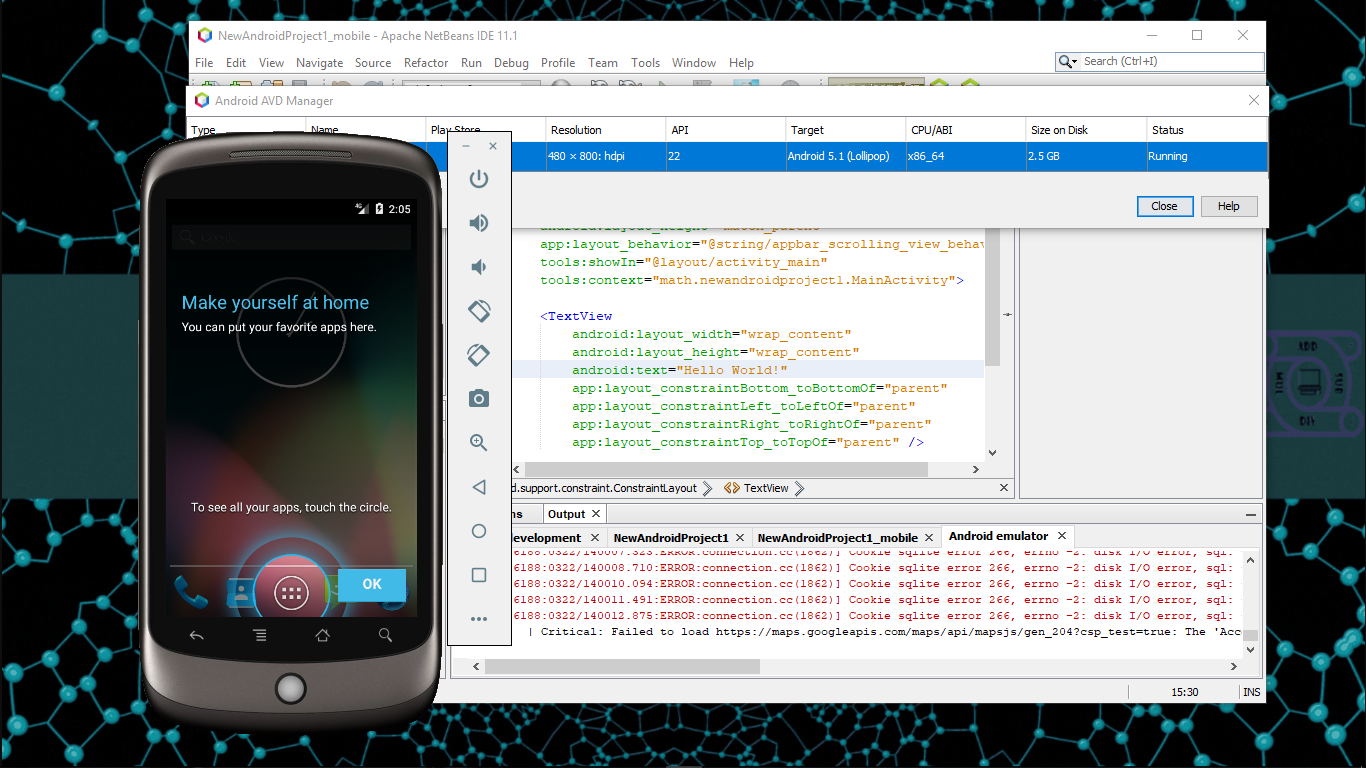
send file to android emulator or How to copy files to Android emulator instance or transfer files to android emulator from pc
One easy way is to drag and drop. It will copy files to /sdcard/Download. You can copy whole folders or multiple files. Make sure that "Enable Clipboard Sharing" is enabled. (under ...-> Settings)
buildtoolsversion for compilesdkversion or Android gradle: buildtoolsVersion vs compileSdkVersion
compileSdkVersion is the API version of Android that you compile against. buildToolsVersion is the version of the compilers (aapt, dx, renderscript compiler, etc...) that you want to use. For each API level (starting with 18), there is a matching .0.0 version.
At IO 2014, we release API 20 and build-tools 20.0.0 to go with it. see it in build.gradle:
Between Android releases we will release updates of the compilers, and so we'll release version .0.1, .0.2, etc... Because we don't want to silently update these version under you, it's up to you to move to the new version when it's convenient for you. You can use a higher version of the build-tools than your compileSdkVersion, in order to pick up new/better compiler while not changing what you build your app against.
Configure VM acceleration using Windows Hypervisor Platform
https://developer.android.com/studio/run/emulator-acceleration#vm-windows-whpx or https://learn.microsoft.com/id-id/virtualization/hyper-v-on-windows/quick-start/enable-hyper-v https://github.com/intel/haxm, https://github.com/intel/haxm/releases, https://github.com/intel/haxm/blob/master/docs/manual-windows.md, https://learn.microsoft.com/en-us/windows-hardware/drivers/other-wdk-downloads?source=recommendations
Can I run Android Studio (Android SDK emulator) in a Microsoft hyper-v virtual machine?
Refer to this link: How to run Android Studio on Windows without disabling Hyper-V. The solution (if you do not want to disable Hyper-V) is to use Microsoft’s Android emulator, which is a free download here. In order to use this with Android Studio, you need to run the emulator first. Then, in Android Studio, go to Run > Edit Configurations... and select Show Device Chooser Dialog under Deployment Target Options. Run your project, and select the VS Emulator, ignoring the invitation to “Turn off Hyper-V”.
Fully change package name including company domain
current package : com.company.name New package : com.mycomapny.name Steps: 1) Suppose you are at this screen which is shown below. enter image description here 2) Open project pane and click on settings icon. 3) Deselect Compact Empty Middle Packages. 4) Then your package is now broken into individual parts as shown below. 5) right click on "company" select Refactor -> select rename ->rename directory. 6) Now your "company" has been changed to new "mycomapny" and changes. 7) Now change the package name in AndroidManifest.xml file. 8) Open app level build.gradle and change package name. 9) you will get errors as Cannot resolve symbol "R". 10) Remove line which gives this error and studio will import new R file automatically. 11) If you have multiple files then use find and replace option by pressing " Cntrl+Shift+R ". Or " Select Edit->Find->Replace in path.." 12) select Replace All.
or change the package name manually in the manifest file. Click on your R.java class and the press F6 (Refactor->Move...). It will allow you to move the class to other package, and all references to that class will be updated.
3. Konvergen akan terjadi ketika terdapat limit pada integral tak sebenarnya dan nilai limit adalah nilai integral itu. Namun jika limitnya tidak ada, maka integral tak sebenarnya akan ....
a) hyperbola
b) parabola
c) sejajar
d) non linier
e) divergen
4. Solusi ∫ f(x) dx untuk persamaan f(x) = 5x4 / x2 adalah ....
a) 5/3 (5x3) + c
b) 5/3 (4x3) + c
c) 5/3 (3x3) + c
d) 5/3 (2x3) + c
e) 5/3 (x3) + c
5. Solusi ∫ f(x) dx untuk persamaan f(x) = ⅔ (x sin3x) adalah ....
a) -⅔ (x cos3x) + ⅔ (sin3x) + c
b) 2/9 (x cosx) + 2/27 (sin2x) + c
c) -2/9 (x cosx) + 2/27 (sin2x) + c
d) 2/9 (x cos3x) + 2/27 (sin3x) + c
e) -2/9 (x cos3x) + 2/27 (sin3x) + c
6. Solusi ∫ f(x) dx untuk persamaan f(x) = 2x (4x + 1)3 adalah ....
a) ⅛ (x)(4x + 1)4 - 1/160 (4x + 1)5 + c
b) ⅛ (4x + 1)4 - 1/160 (4x + 1)5 + c
c) ⅛ (4x + 1)4 + 1/160 (2x + 1)5 + c
d) ⅛ (4x + 1)4 + 1/160 (x)5 + c
e) ⅛ (4x + 1)4 + 1/160 (x + 1)5 + c
7. Solusi untuk ∫ 2x(√x) dx adalah ....
a) 4/5 (x2(√x)) + c
b) ⅘ x(√2x) + c
c) ⅘ 2x(√2x) + c
d) ⅘ x(√x) + c
e) 4/5 x + c
8. Berikut ini bentuk umum integral tertentu yang benar adalah ....
a) ∫ab f ‘(x) dx = f(b) - f(a)
b) ∫ab f(x) dx = f(a) - f(b)
c) ∫ f ‘(x) dx = ax + c
d) ∫ab f(x) dx = f(b) - f(a)
e) ∫ ax dx = ax + c
9. Solusi untuk ∫13 (3 - 2x) dx adalah ....
a) -2
b) -3
c) 0
d) 3
e) 2
10. Solusi untuk ∫-22 (e-½) dx adalah ....
a) -2 ((1/e) - e)
b) (2/e) - e
c) 2 ((1/e) - e)
d) (1/e) - e
e) 0
11. Solusi untuk ∫03 (∛x) dx adalah ....
a) (9∛3) / 4
b) (9∛3)
c) (9∛2) / 2
d) (1∛3) / 2
e) (1∛3)
12. Solusi untuk ∫0π (sin x) dx adalah ....
a) 1
b) 2
c) 0
d) 0,5
e) ¼
13. Solusi untuk ∫11 (x2) dx adalah ....
a) 2b) 1c) 0
d) -1e) 2
14. Solusi untuk ∫0π/2 (cos2x sin x) dx adalah ....
a) 0b) ½c) ¼
d) ⅓e) 1
15. Solusi untuk ∫48 (x / (√x2 - 15)) dx adalah ....
a) 1b) 2c) 4
d) 5e) 6
16. Suatu fungsi f: R → R dan g: R → R dimana f(x) = 2x + 4 dan g(x) = x3, maka hasil dari (f o g)(x) adalah....
a) 2x3 + 4
b) 2x2 + 4
c) 2x + 4
d) x3 + 4
e) x2 + 4
17. Suatu fungsi f: R → R dan g: R → R dimana f(x) = 2x + 4 dan g(x) = x3, maka hasil dari (g o f)(x) adalah....
a) (2x + 4)3
b) (2x + 4)2
c) 2x + 4
d) x3 + 4
e) x3 + 64
18. Berikut yang termasuk dalam fungsi tidak genap ataupun tidak ganjil adalah....
a) f(x) = 2 / (x - 1)
b) f(x) = (x3 + 3x) / (x4 - 3x2 + 4)
c) f(x) = x3 - 2x
d) f(x) = |2x|
e) f(x) = x2 - x
19. Berikut merupakan bentuk yang ekuivalen dengan sin 30° adalah....
a) sin π/6b) 1/3c) (1/3) √2d) (1/2)√3e) sin π
20. Hasil nilai dari limx→2 ( (x2 - 8) / (x - 4) ) adalah....
a) 2b) 4c) 6d) 8e) 0
21. Hasil nilai dari limx→3 ( (5x2 – 8x - 13) / (x2 - 5) ) adalah....
a) 0b) 1c) 2d) 3e) 4
22. Hasil nilai dari limx→0 ( (sin x) / (x) ) adalah....
a) -1b) 0c) 1d) √2e) ∞
23. Hasil nilai dari limx→∞ ( (sin x) / (x) ) adalah....
a) -∞b) -1c) 0d) 1e) ∞
24. Hasil nilai dari limx→0 (sin x2) adalah....
a) -∞b) -1c) 0d) 1e) ∞
25. Hasil nilai dari limx→0 ( (1 - cos x) / (x2) ) adalah....
a) 0b) (1/2)√3c) 1/2d) 1e) ∞
1.Jikapertidaksamaan mempunyai penyelesaian x > 5, nilai a adalah….
c. e.
d.
2,Penyelesaianpertidaksamaan adalah…
c. jika p < qe. x = 1
d. jika p < q
3.Nilai x yang memenuhipertidaksamaan y - x + 1 < 0 dan 2x + y > 2 adalah ….
x > 0c. x > 2e. x < 1
x > 1d. x < 0
4.P, Q, dan R memancingikan. Jikahasil Q lebihsedikitdarihasil R, sedangkanjumlahhasil P dan Q lebihbanyakdaripadadua kali hasil R, yang terbanyakmendapatikanadalah ….
P dan Rc. Pe. R
P dan Qd. Q
5,Diketahulingkaran melalui titik Persamaan lingkaran yang sepusat tetapi panjang jari-jarinya dua kali panjang jari-jari lingkaran tadi adalah ……
6.Garissinggung di titik (12, -5) padalingkaran menyinggung Nilai sama dengan ….
207d. 19
169e. 13
117
7.Persamaangarissinggungpadalingkaran yang melalui titik (3, -2) adalah …..
d. 3
e.
8.Persamaangarissinggunglingkaran di titik adalah
d.
e.
9.Salahsatupersamaangarissinggunglingkaran yang tegak lurus garis adalah ….
d.
e.
10.Fungsiditentukanoleh dan fungsi sehingga maka adalah ….
d.
e.
11.Diketahui Nilai untuk adalah ….
-54 d. 6
-36 e. 18
-18
12.Darifungsidan diketahui dan Agar nilai yang positif adalah ….
d.
e.
13. Hitunglah lim X 2 - 4
x →3 X - 2
A.3 B. 5 C. 4 D. 7 E. 9
14. Turunan Y=4 sin 2X adalah :
a. cos 2X. b. 4 cos 2X. c. 8 cos 2X d. -4 cos 2Xe. semuasalah
15.Turunanfungsi Y= e-4xadalah …
a. e-4x.b. 2e-4x c. -4e-4x. d. (e-4x)/4 e. semuasalah
Nilai x yang memenuhi adalah….
x < 4
b > -3
-3 < x < 4
-4 < x < -3
X > 4 atau x < -3
2 Jika nilai yang memenuhi adalah ……
d.
e.
3.Nilai x yang memenuhi pertidaksamaan y - x + 1 < 0 dan 2x + y > 2 adalah ….
x > 0c. x > 2e. x < 1
x > 1d. x < 0
4.Fungsi dan Diketahui dan Nilai dari adalah ….
0 d. 8
1 e. 11
7
5.Dari fungsi dan diketahui bahwa dan maka adalah ….
6. Fungsi ditentukan oleh dan fungsi sehingga maka adalah ….
d.
e.
7.Persamaan lingkaran dengan pusat dan menyinggung adalah ….
8.Garis singgung di titik (12, -5) pada lingkaran menyinggung Nilai sama dengan ….
207d. 19
169e. 13
117
9.Persamaan garis singgung lingkaran di titik adalah …..
10.Persamaan salah satu garis singgung pada lingkaran yang melalui titik adalah ….
11.Nilai x yang memenuhi pertidaksamaan
x < 3c. x < -3e. -3 < x < 3
x > -3d. x >3
12. Persamaan garis singgung lingkaran yang tegak lurus garis adalah ….
dan
dan
dan
dan
dan
13. Dikatehui dengan dan Rumus untuk adalah ….
14. Jika x dan y memenuhi pertidaksamaan dan persamaan , memenuhi pertaksamaan…………
15. Penyelesaian dari adalah ….
atau
Tentukannilaidari Lim 2 - √ X +1 Adalah :
X 3 X - 3
Nilai balik minimum darifungsi ƒ( x) = X3 - 3X2 + 7,Adalah:
Persamaangarislingkaran yang berpusat P (1,4 ) danmenyinggunggaris 3X -4Y-2 = 0 Adalah :
BerapakahNilai g (x), jikadiketahuihasildari ( fg)(x) = X2 + 2x + 9 dan ƒ( x) = X + 2adalah
PenyelesaiandaripertidaksamaanX2 – X -12 ≤ 0 adalah :